jennakafor00@gmail.com
Jen.




Your Design System’s Gaps Become AI’s Creative Freedom
I tested AI-gen UI across different design systems and component libraries. Only the complete ones produced usable results.
18, Dec, 2025
AI agents don't stop when your design system has gaps. They fill them. Missing a layout component? They'll write custom HTML and CSS. No spacing tokens? They'll pick whatever seems right. Your design system's gaps become their creative freedom, and that's rarely what you want.
I spent the past couple of weeks testing this. I wanted to see if AI could generate full product UIs with multiple features across multiple pages, all without me stepping in to write or fix code. The only successful experiments used design systems complete enough that the agent never had to improvise.
A few notes on my experiment setup:
- Only used React and TypeScript.
- Used both Cursor and SouthLeft's StoryUI as my AI agents.
My prompts included:
- The features I wanted, limited to one or two at a time rather than an entire layout.
- A pointer to where the components live in the codebase.
- An expectation that output would include a Storybook story. This is the default for StoryUI but I had to specify with Cursor.
What I tested
I ran experiments across three levels of design system maturity: a poorly documented internal component library, a popular but incomplete system, and two fully mature design systems.
Poor quality component library with no design tokens
I started by prompting Cursor to generate a page template using an internal component library. These components weren't well documented and had a mix of good and bad props. But I figured the agent could intuit what it needed from the component code and existing usage patterns in the codebase.
This was an epic fail. The component library couldn't support generating a full page of features. Cursor wrote a ton of custom code, and without design tokens to guide it, the styling was all over the place. And I would know. Every time I’ve needed to build something in that codebase, I had to write most of the UI code.
Good component library with gaps
Next, I tried shadcn with StoryUI. It's a popular component library with solid components and beautiful defaults. But I quickly discovered it was missing two key ingredients: layout and wrapper components. Whenever the agent needed to position elements or group them in a container, it fell back to raw HTML and custom styles. This created inconsistencies that kept the final result from feeling cohesive.
This showed me that it wasn’t enough to have great components; I also needed a ‘complete’ list of components. I could have designed and created a few layout and wrapper components at this point. But I was working in the capacity of someone consuming a design system, not someone responsible for creating or maintaining one.
Mature, well-rounded design systems
Finally, I tried Ant Design and Mantine. I paired Ant Design with StoryUI and Mantine with Cursor. This time, I was able to generate cohesive page templates that actually looked designed with intention.
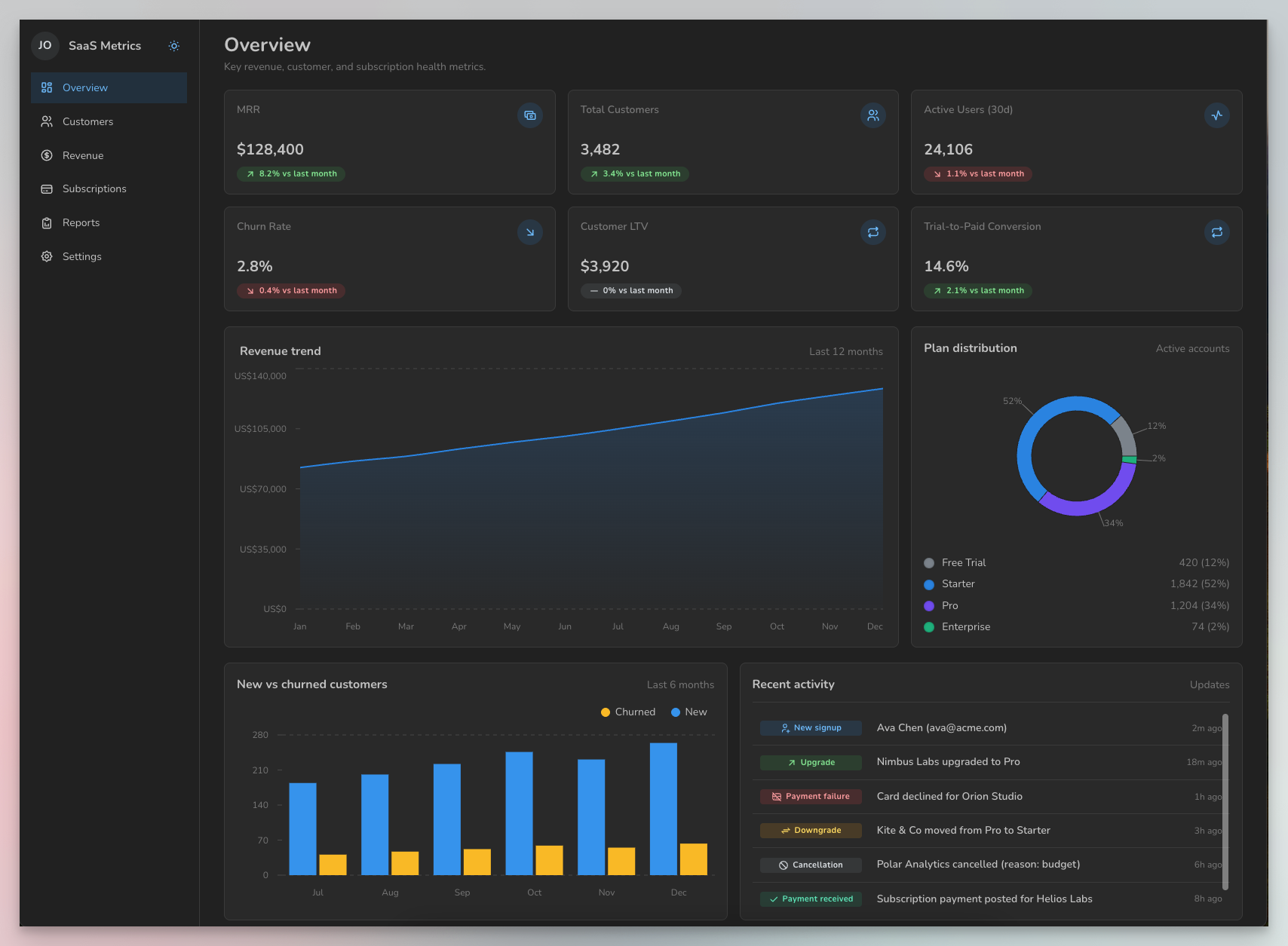
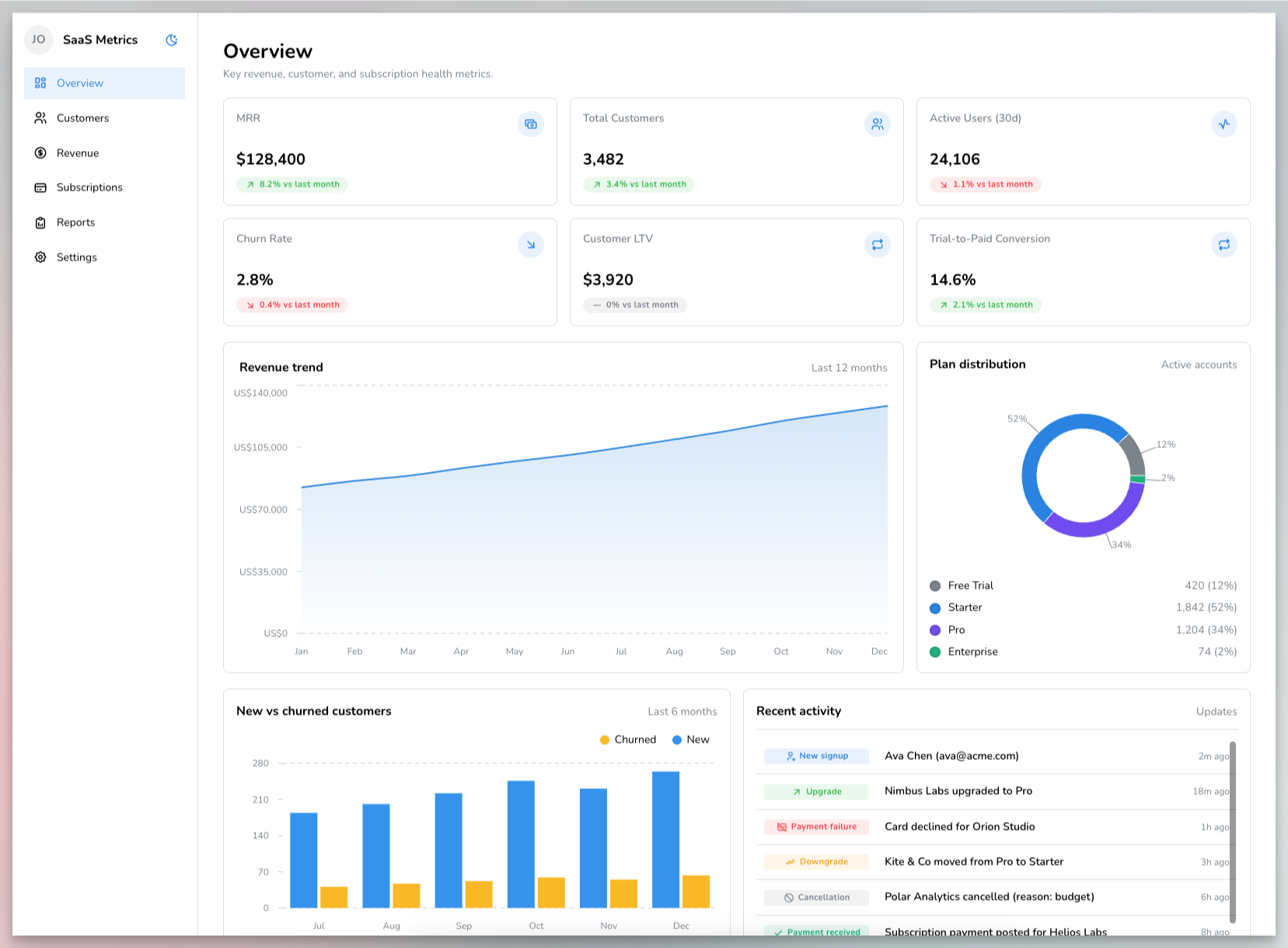
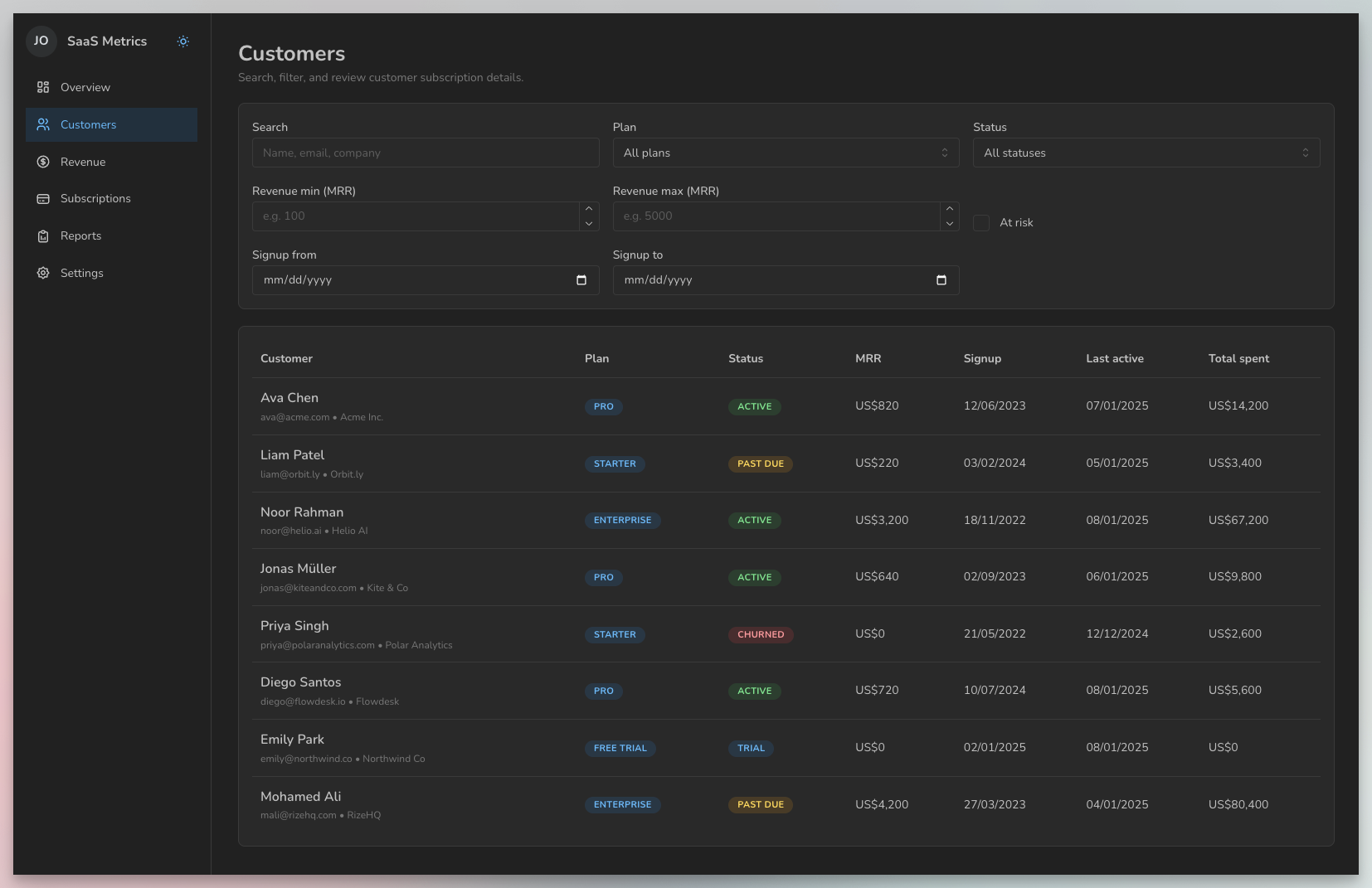
I spent the most time on my Mantine project and achieved the following:
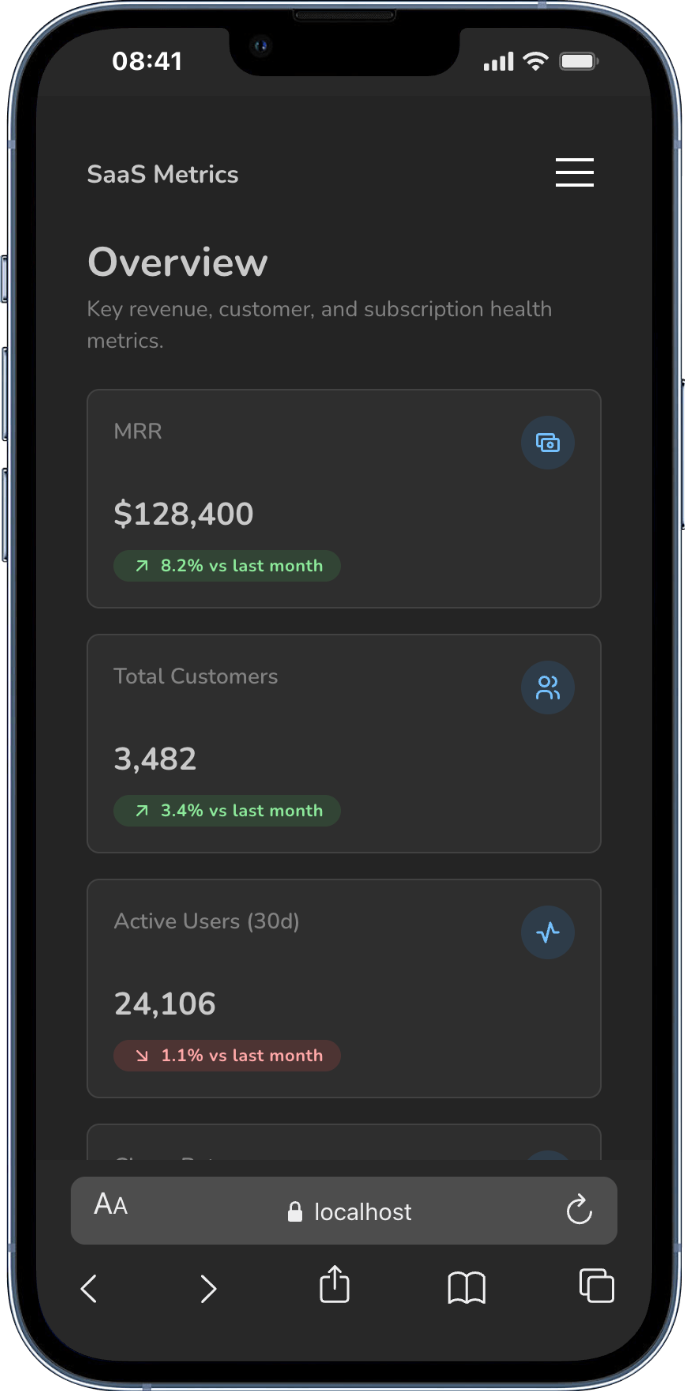
- Multiple page templates fully aligned in design and structure.
- Zero raw HTML elements.
- No custom CSS.
- Fully mobile-responsive layouts.
- Light and dark theming.
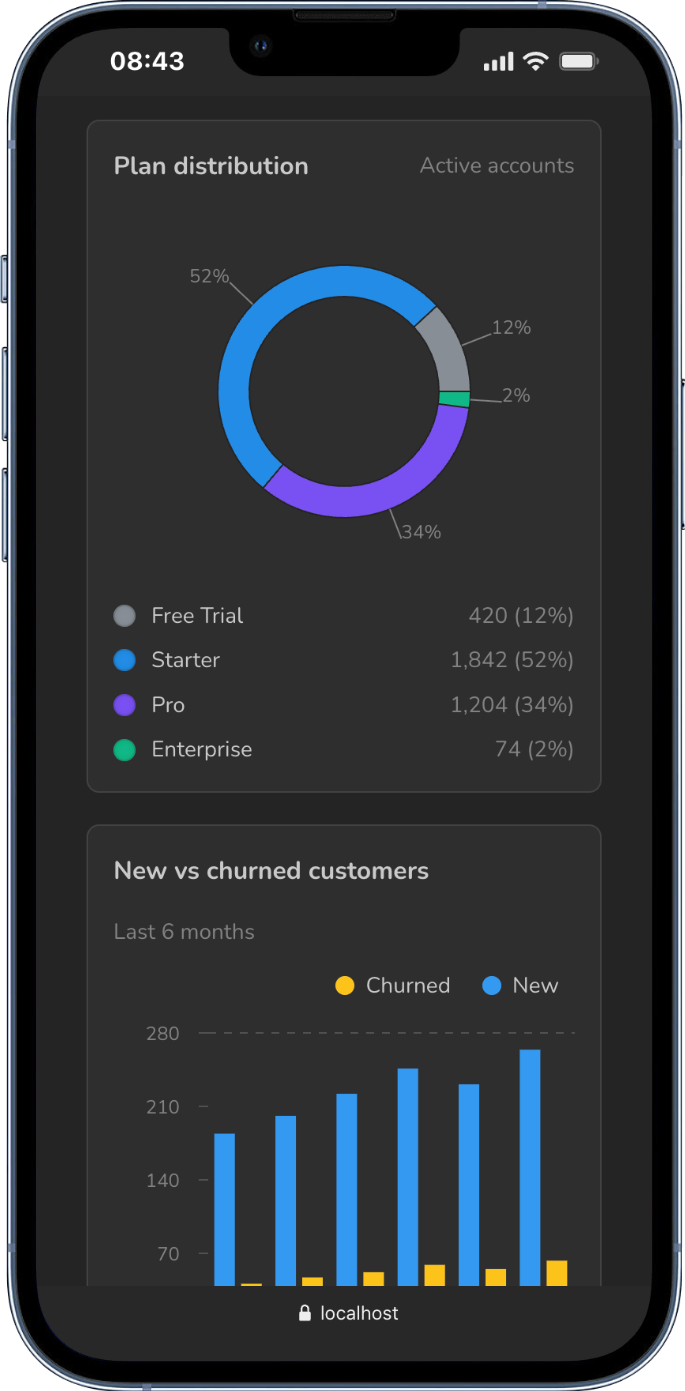
- Rich data visualizations.
Here are some screenshots of my final results. I didn't do any custom theming or extend the defaults in any way to fit a brand. Everything here uses Mantine straight out of the box.
Why did Ant Design and Mantine work so well?
Ant Design and Mantine are two of the most mature open-source design systems available today. They've accumulated components and design decisions for nearly every scenario over years of development.
When the agent needs to position elements or create consistent spacing, it finds a component ready to use. When it needs to establish visual hierarchy, there's already a solution in place. The system provides answers at every turn, so the agent never has to write custom code.
This completeness is what made the difference. The agent could focus on composing features instead of inventing design patterns from scratch. And because every choice drew from years of carefully crafted design decisions, the results actually felt intentional.
What this means for your team
My takeaways here depend on where your team sits with design systems.
Teams building or replacing a design system
- Be honest about your resources before building from scratch. Unless your company can genuinely commit to building a robust, complete system, I'd recommend against it. Partner with your design team to adopt an existing open-source system like Ant Design or Mantine. Your designers and design system engineers can then theme it to fully align with your brand. A well-themed mature system will outperform a half-built custom one every time.
- If you do build custom, build with AI consumption in mind. You have an advantage that previous design system teams didn't have. You already know that AI agents will be making decisions with your system, not just humans. This means documenting every design decision directly in the code. Don't rely on team knowledge from past conversations or external documentation that AI can't access. Your components and tokens need to be self-explanatory.
Teams maintaining an existing design system
You need to run experiments. Build some features using AI and watch where it struggles. Specifically, look for moments where the agent feels compelled to make its own design decisions. Notice when it reaches for custom HTML elements or styles instead of your tokens and components.
These friction points reveal the gaps in your system. Once you've identified them, you can either create the missing components or improve documentation so the agent knows what already exists.
Conclusion
AI agents will always produce something. The question is whether their output moves your team forward or creates more work. A complete design system means less time fixing AI's improvised code and more time shipping features that matter.